
For Institutions
Give your learners speaking and pronunciation practice
Every student gets a daily partner. Teachers only review the results.
 PDF(KR)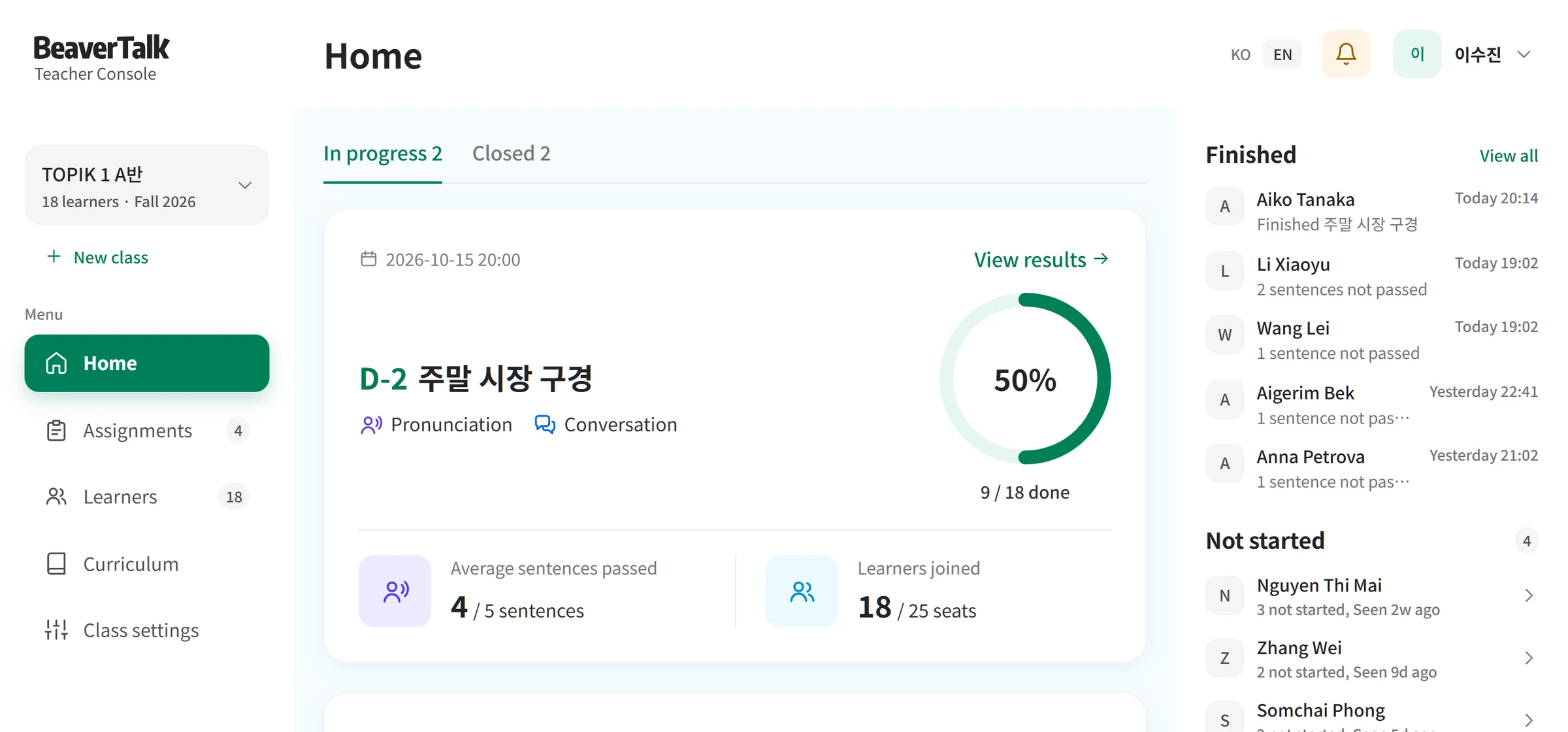
Features
Free for the first 30 institutions
Speaking assignment management
Assign sentences to repeat and close assignments. Students check their homework in the app and submit results.
Pronunciation correction report
After each call, students get a report on pronunciation, fluency and rhythm, and you see the sentences to reteach in the console.
Learner management
Download the whole class roster as a CSV file with join dates, last logins and cumulative pronunciation passes.
Assignments in progress
See your class’s ongoing and finished assignments together as cards.
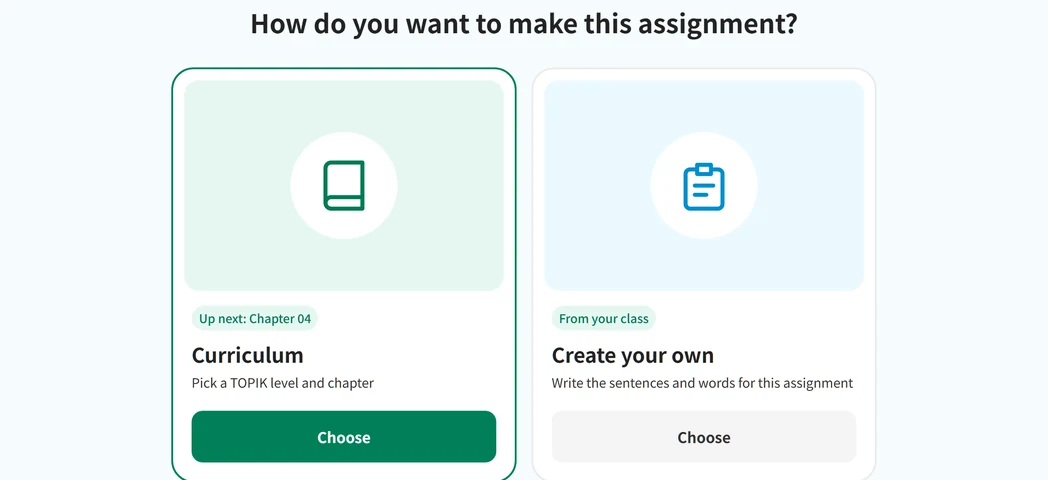
Assign homework
Pick a curriculum chapter or make your own, then set the due date and classes and send it.
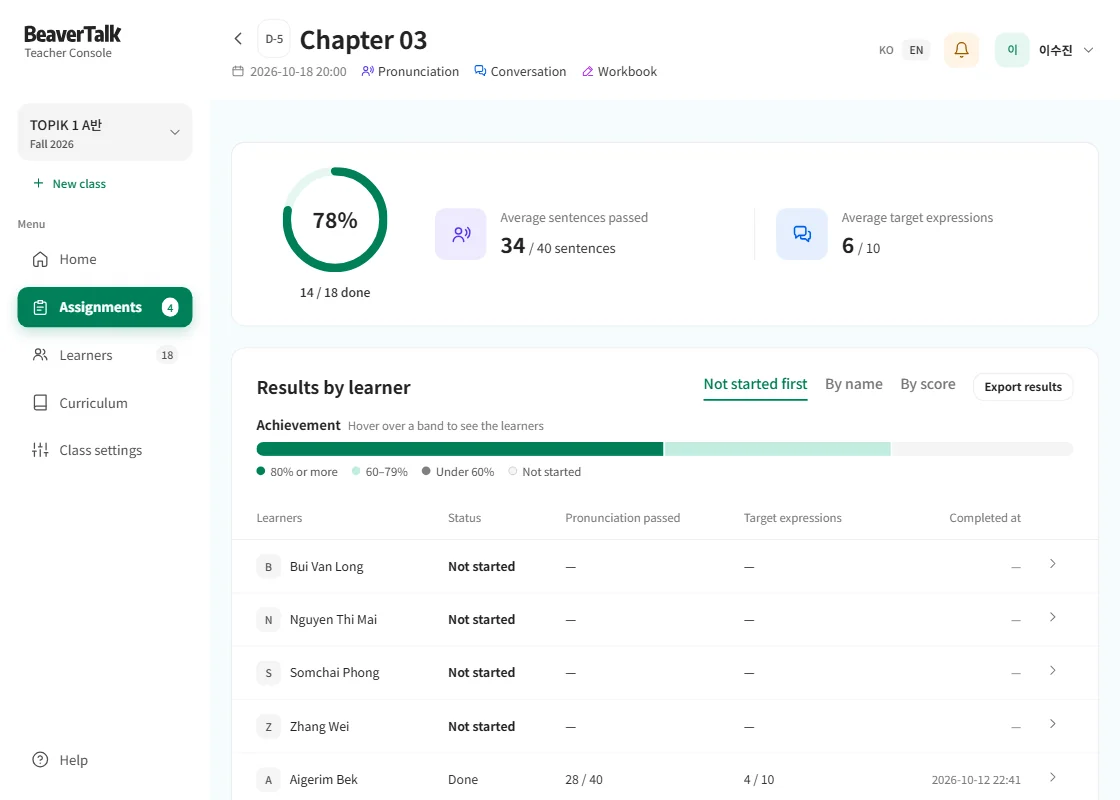
Assignment results
See how each learner did and the sentences to reteach, all on one screen.
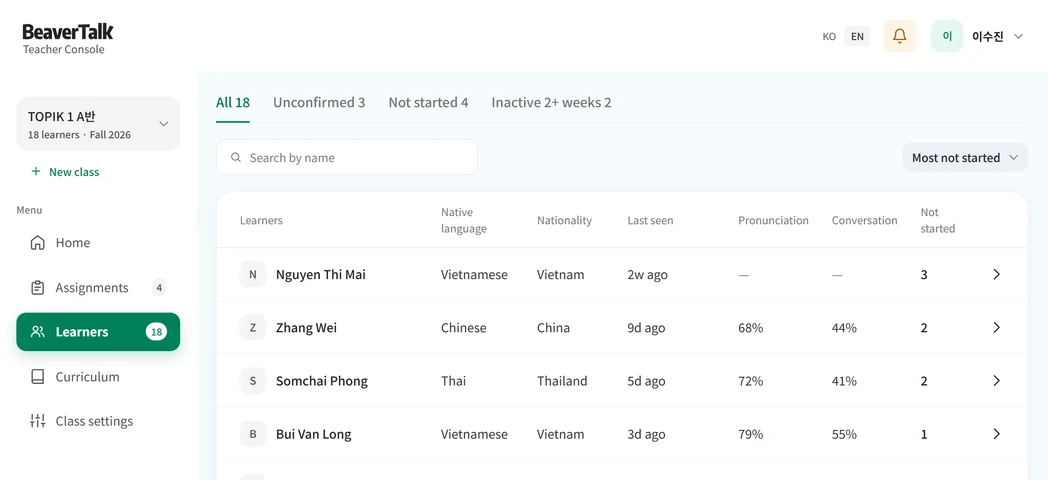
Learner list
Filter learners who missed work or haven’t logged in for two weeks, and see each learner’s pronunciation pass rate and conversation rate in one table.
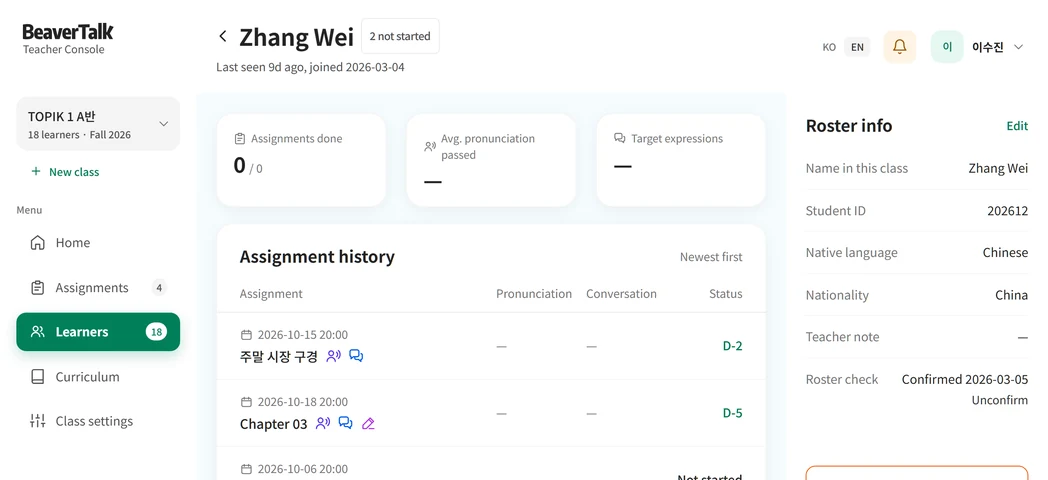
Learner details
Each student’s submissions and passed sentences are recorded in the console.
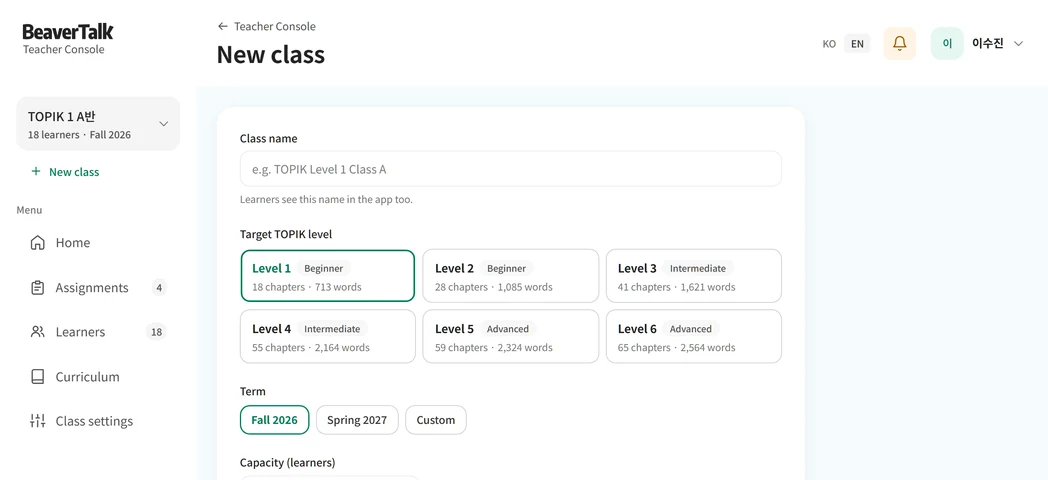
Create a class
Set the class name and target TOPIK level to create a class. Students join when they enter the join code in the app.
How to Start
From inquiry to launch in three steps
Inquiry
Tell us your size and goal.
Account setup
We create the accounts for you.
Free for the first 30 institutions
Review results in the teacher console.
How homework works
Teachers assign homework in the console, and students do it in the app. Tap through both.

This is the class home in the teacher console. Assignments in progress appear as cards, with finished and not-started learners and the join code on the right. Tap New assignment.
Tap the spot circled in red
Contact
Just tell us your size and goal
- Free for the first 30 institutions
- Account setup handled
- Free teacher accounts